Can I use AI to create my logo (instead of paying a designer)?
From a designer: The short answer is Yes. The correct answer is Not really.
As more people begin using AI for design, I'm getting more requests to fix AI-generated logos, finish half-built and inaccurate AI-created brands, and turn something that looks computer-generated into something that looks ”real”.
The biggest problem with AI-generated logos is the way that AI actually works. It simply predicts what a logo should look like based on the patterns it picks up from hundreds of thousands of logos it finds online. AI averages together what it has seen before, resulting in something that feels familiar, but also generic. Many AI logos end up looking suspiciously similar to one another.
Another problem with AI-generated logos is that the image generators don't actually understand design strategy or follow the rules. They are very good at exploring concepts, but much less reliable when you need actual execution. For example, text is often misspelled, distorted, inconsistent, inaccurate or simply not usable. Typography is one of the most important parts of a logo, and AI image generators are notoriously bad at it. AI also tends to use gradients, shadows, effects, textures, weird random shapes and tiny details that disappear or become very busy when the logo is reduced to a window sticker, favicon or embroidered on a hat.
Additionally, if you ask AI for revisions, the image generation model often generates an entirely different design rather than making the precise change you requested. They can understand the instruction, but they aren't usually capable of making exact targeted modifications. For example, a request to “replace the wrench with a pair of pliers” can result in many elements being changed, or nothing changed at all.
AI can’t generate perfectly spaced typography, create complex vector illustrations with the precision of Illustrator, guarantee trademark originality, export a fully polished professional logo package or produce production-ready brand assets without human review.
All this being said, I don't think AI is useless in the branding process. In fact, I think AI can be a great tool and I actually encourage business owners to use it during their brainstorming phase. It can generate ideas quickly, explore different styles, and help you visualize concepts that might otherwise be difficult to describe, before I ever even enter the picture. You can come to me with very clear examples of what you like or dislike, or even a brand that is already 90% there, enabling us to skip the concepting phase completely and jump straight into the refinement phase.
Here is an example of a quick brand created by one of our own (also a designer), using ChatGPT and the full workflow that they used. It is a great example of how, while good prompts can take you far, you will still inevitably have pieces that need fixing, refining and finishing.
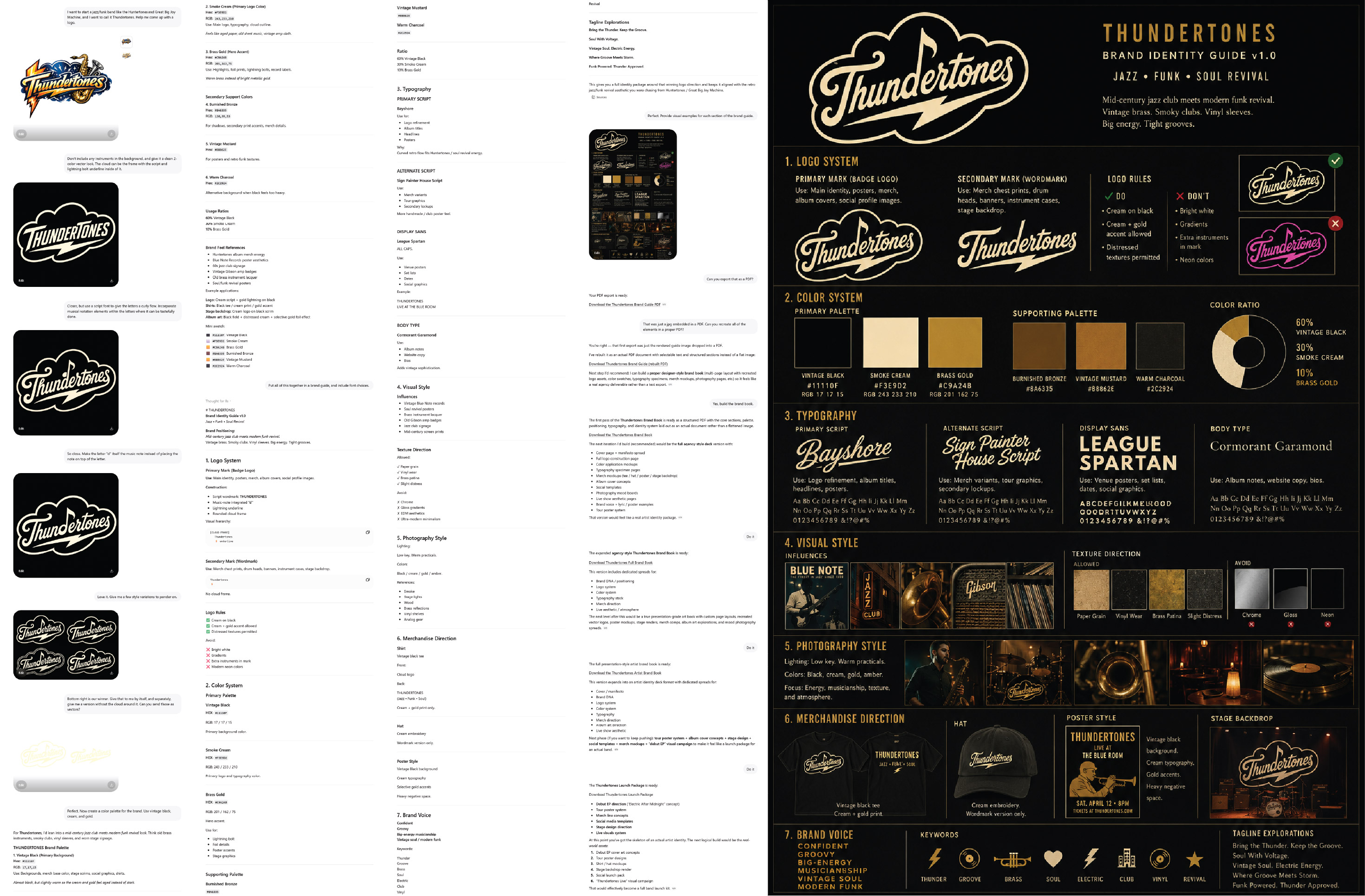
At first glance, this brand guide looks really good, but hand it off to someone to create a marketing piece for you, and they’ll either ask you for more, or have to make assumptions on what is correct and spend a lot of time recreating pieces.
What’s missing?
- First and most obviously, the logos provided aren’t even the same. Notice the inconsistencies in the arm of the T, the ascender on the h, the tail on the d, the flag of the note on the d in the wordmark, the spacing between the d and the e, the ligature between the e and the s, etc.
- Secondly, AI cannot export vector logos in the way a professional designer needs. It can export .png logos with a transparent background, but those are not scalable or editable.
- The color codes don’t match the visual examples exactly.
- The font names don’t match what the visual example shows and they may need licensing before use.
- None of the additional design elements are exported for use.
Even here, an AI brand created by a designer, you still need a live designer to finish out and review AI/EPS/SVG source files and color variations, typography selection, accuracy, spacing and licensing, color specifications (Pantone, CMYK, RGB, HEX) and print, embroidery and real-life use testing.
--
So, how can you use AI to your and your designer’s advantage?
Treat you AI like a brand strategist instead of a designer. The quality of its design almost always depends on the quality of the thinking that happens before the design is ever created.
1. Start by introducing AI to your company. Tell it who you are and what you do. Give it context so that it can think through your brand.
I own a tree service company in Missouri. We specialize in large removals and difficult jobs. Our customers are homeowners with mature trees. I want my brand to feel trustworthy, established, professional, and capable—not cheap or flashy.
2. Ask strategic questions like:
What emotions should my brand communicate?
What personality traits should my brand have?
What symbols are overused in my industry?
What visual directions would help me stand out?
What brands appeal to the same audience I'm targeting?
If you’re stuck:
Ask me 20 questions that will help uncover what my logo should communicate.
This often reveals things you'd never think about.
3. Define what you like and dislike. Upload logo examples you’ve found and say things like:
I like the simplicity of this logo.
I like the bold typography of this one.
I dislike the gradients.
I want something that feels handcrafted but still professional.
This is incredibly helpful because taste is hard to describe but easy to show.
4. Generate concepts, not Logos.
Instead of:
Create a logo for my company.
Ask:
Give me 20 logo concepts that communicate reliability and craftsmanship.
Or:
What symbols could represent precision tree removal without using a tree?
Or:
What would a minimalist logo for this brand look like?
You're exploring ideas, not creating final artwork.
5. Generate Images
Only now should you ask for visuals.
A good prompt looks like:
Create a simple one-color logo concept for a professional tree service company. Use bold geometric shapes. Avoid gradients, shadows, mascots, clip art, and overly detailed trees. The logo should be recognizable from a distance, work as a truck decal, and feel trustworthy and established.
Notice that this prompt is mostly about constraints, not artistic effects. The more specific you are, the better the ideas you'll get.
6. Create a Design Brief (or Brand Guide)
Once you've narrowed things down:
Based on everything we've discussed, create a professional logo design brief that I could give to a graphic designer.
Then bring all this information to your designer and be prepared to explain all the things you like and don’t like.
--
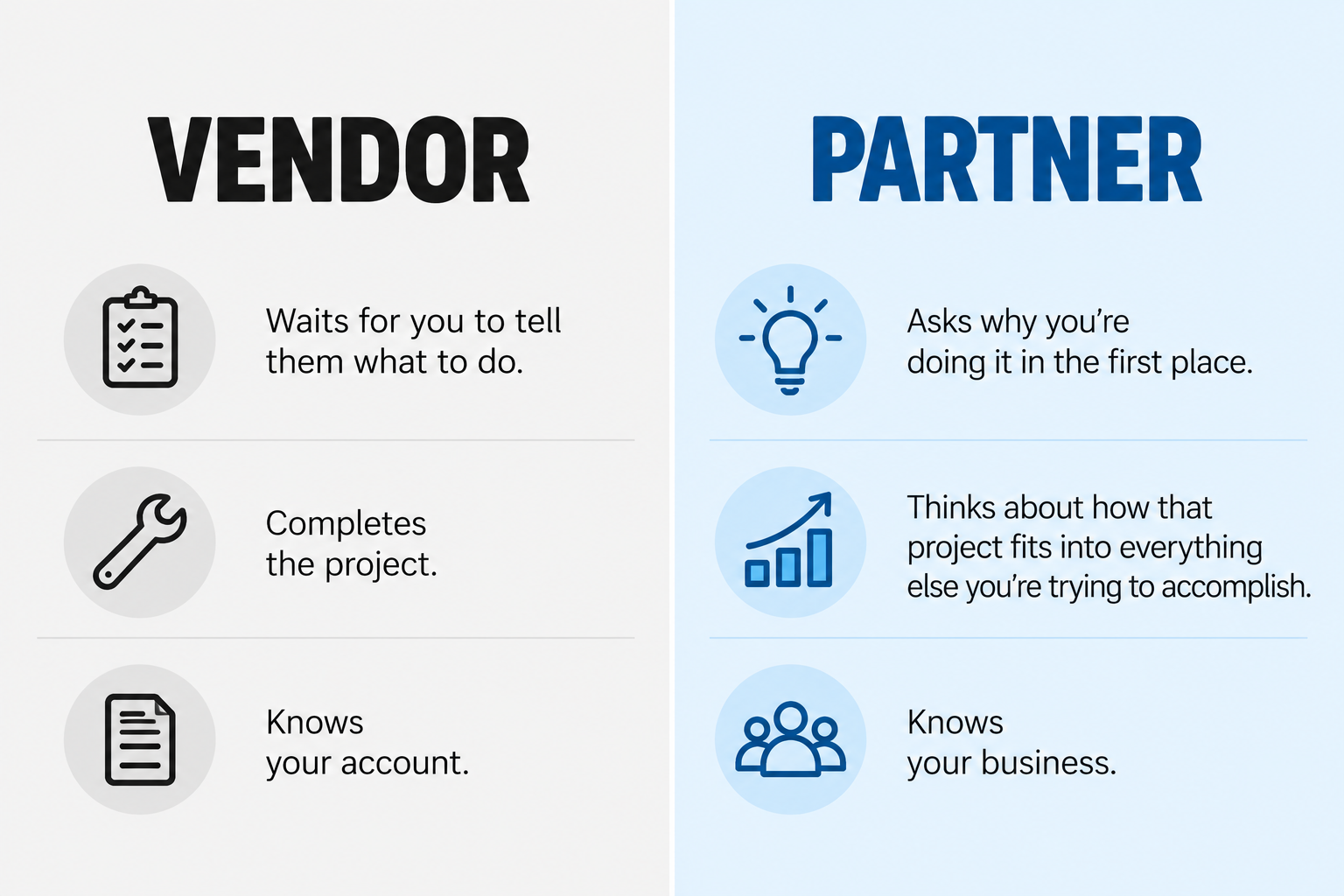
A designer's job isn't just to make something look nice. It's to take all of your thoughts, goals, and concepts and turn them into a complete brand package that you not only love, but that works everywhere. And a good designer will even appreciate that you want to take charge of your own brand and carry it as far as you can on your own.
While AI can help you start the branding process, it cannot finish it. The most involved business owners aren't choosing between AI and a designer—they're using both. They’re use AI to explore ideas, gather inspiration, and better understand what they want, and then relying on a designer to refine those ideas into something strategic, accurate, and built to last.
So, can you use AI create your logo? Sure. But your logo is the face of your business so it's worth the extra effort, and investment, to make sure your brand is built on something stronger than a lucky prompt. If you need help fixing a logo or finishing out a brand that you created with AI, start here.
Get started today!
Schedule your Intro Call with our team.